Rotato
Create stunning 3D device mockup videos in minutes, no skills needed.
Need an MVP like Rotato?
We'll build it in less than 7 days. Book a free discovery call with Tiny Startup Studio.
Book free discovery call →Quick summary of Rotato
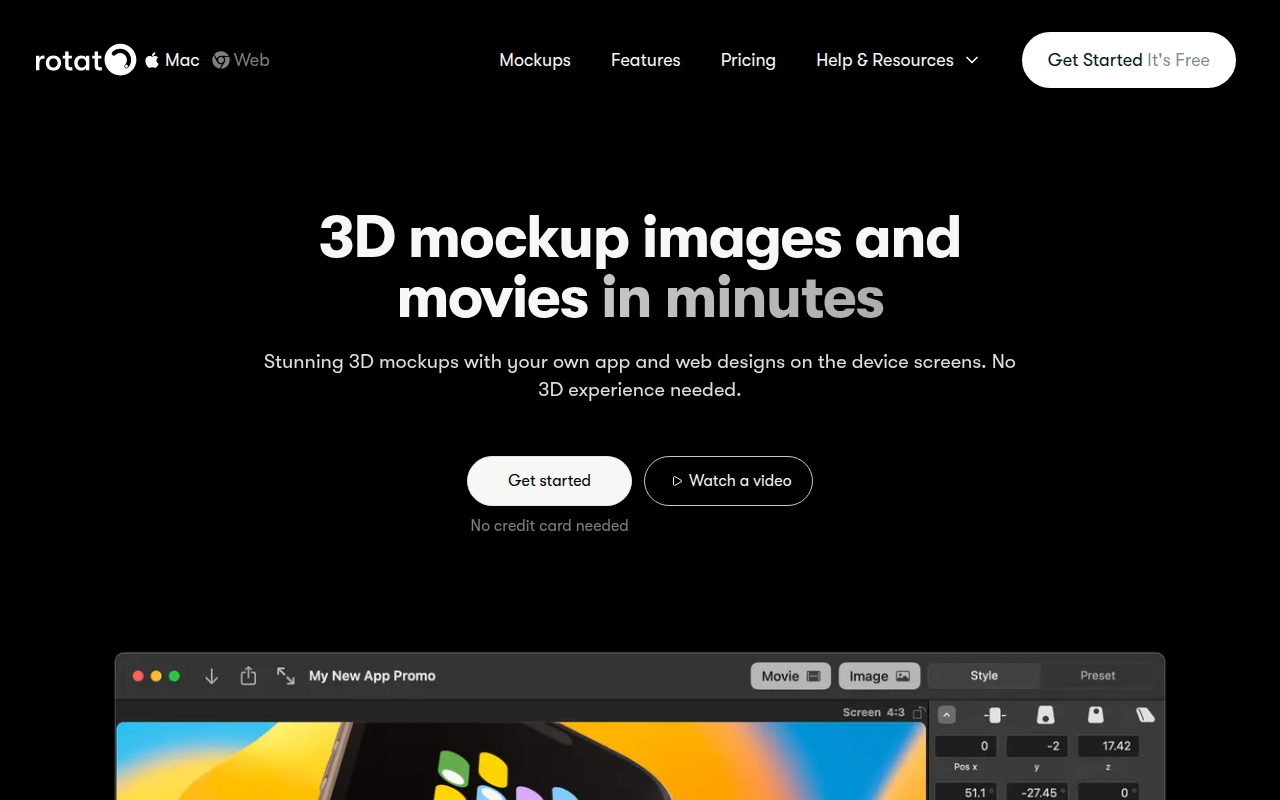
Rotato (rotato.app) is a 3D mockup tool — 'stunning 3D mockups with your own app and web designs on the device screens. No 3D experience needed.' Mac desktop app for creating 3D product mockups + animated demos showing apps + websites on device screens with 3D rotation + lighting. Drag-and-drop design onto device screen models, 3D rotation + lighting + camera angles + animations, export as static images + animated videos + GIFs, commercial license. 'No 3D experience needed' positioning is genuine — produces 3D-quality mockups without requiring Cinema 4D or Blender skills. Sits alongside 2D mockup tools (Mockuuups Studio + Smartmockups + Placeit + Creatoom covered earlier — browser-based 2D scale), Spline (3D design tool covered earlier), Cinema 4D + Blender (full 3D modeling expertise required), and Animockup (covered earlier — animated 2D mockups). Distinguished from 2D mockup tools (Mockuuups + Smartmockups + Placeit) by 3D + animation output, distinguished from Spline + Cinema 4D + Blender (full 3D tools) by no-3D-expertise-required positioning, distinguished from Animockup (animated 2D mockups) by 3D vs 2D animation. Paid Mac app ~$50-200+ or subscription; verify on rotato.app. Best for designers + marketers creating 3D product mockups for marketing + landing pages + launch videos without 3D modeling time, indie founders creating animated 3D product demos for X + Product Hunt + investor decks. Skip for 2D-only mockup needs where Mockuuups + Smartmockups + Placeit cover simpler scale better, for full 3D modeling control (Cinema 4D + Blender + Spline give more flexibility for serious 3D work), or for non-Mac users (Rotato is Mac-only desktop app). Canonical 3D product mockup tool in 2026 — Mac-only desktop app produces impressive 3D animated mockups; for indie founders + marketing teams wanting 3D mockup polish without 3D modeling time Rotato is recommended choice.
⏱ 30-second verdict
About
Rotato lets you drag and drop screenshots or videos onto 3D device mockups to create professional animated product demos. It supports iPhones, Macs, iPads, and other devices with customizable animations, backgrounds, and camera movements. Export as video, GIF, or image sequences for marketing materials.
🎯 Why it's useful
Perfect for founders who need polished App Store previews, product hunt videos, or social media content without hiring a motion designer or learning 3D software.
💜 Our take
It's ridiculously easy to use—just drop in your screen recording and Rotato handles the fancy 3D animation. The results look like you spent hours in After Effects.
How indie founders use Rotato
3D product mockups
Designers + marketers creating 3D product mockups for marketing + landing pages + launch videos without 3D modeling time.
Animated product demos
Indie founders creating animated 3D product demos for X + Product Hunt + investor decks.
Rotato (rotato.app) is a 3D mockup tool — 'stunning 3D mockups with your own app and web designs on the device screens. No 3D experience needed.' Mac desktop app for creating 3D product mockups + animated demos showing apps + websites on device screens with 3D rotation + lighting. Sits alongside 2D mockup tools (Mockuuups Studio + Smartmockups + Placeit covered earlier) but with distinct 3D + animation positioning. What you get: Mac desktop app for 3D mockups, drag-and-drop your design onto device screen models, 3D rotation + lighting + camera angles + animations, export as static images + animated videos + GIFs, commercial license. The 'no 3D experience needed' positioning is genuine — produces 3D-quality mockups without requiring Cinema 4D or Blender skills. Where Rotato fits: alongside 2D mockup tools (Mockuuups + Smartmockups + Placeit), Spline (3D design tool), Cinema 4D + Blender (full 3D modeling). Rotato specifically fits the gap of 3D mockups without 3D modeling expertise — drop in your screenshot, get 3D animated mockup. Where it's not for you: if you only need 2D mockups, Mockuuups + Smartmockups + Placeit cover that simpler need. If you want full 3D modeling control, Cinema 4D + Blender + Spline give more flexibility. If you're not on Mac, Rotato doesn't apply (Mac-only). Pricing: paid Mac app — likely $50-200+ range or subscription. Verify on rotato.app. Honest take: Rotato is the canonical tool for 3D product mockups without 3D expertise — Mac-only desktop app produces impressive 3D animated mockups for product marketing + launch videos + landing pages. For indie founders + marketing teams wanting 3D mockup polish without 3D modeling time, Rotato is the recommended choice.
Pricing
Paid
- ✓Mac desktop app
- ✓3D mockups + animations
- ✓Multiple device models
- ✓Commercial license
- ✓Verify on rotato.app
Free with watermark · Pro $99 one-time purchase
Frequently asked questions
How much does Rotato cost?
Paid Mac app — likely $50-200+ range or subscription. Verify on rotato.app.
Rotato vs Mockuuups Studio?
Mockuuups Studio (covered earlier — 3000+ 2D device mockups browser-based). Rotato is 3D animated mockups Mac desktop app. Different output types — use Mockuuups for 2D scale; use Rotato for 3D + animation.
Do I need 3D experience?
No — 'no 3D experience needed' positioning is genuine. Drop in your design, get 3D mockup. Camera angles + lighting are presets you choose vs setting up 3D scenes from scratch.
Reviews
No reviews yet — be the first.
Tools like Rotato
See all Design →Figma
The browser-based design tool everyone uses.
Webflow
No-code site builder that produces real CSS.
Yellow Images
The Largest Collection of PSD Mockups on the Internet!
Wise
The design system of Wise.
Who Can Use
A tool to show how color contrast can affect different people with visual impairments.
Websitevice
Website design examples for inspiration that get results instead of awards