Photopea
Free Photoshop alternative that runs entirely in your browser.
Need an MVP like Photopea?
We'll build it in less than 7 days. Book a free discovery call with Tiny Startup Studio.
Book free discovery call →Quick summary of Photopea
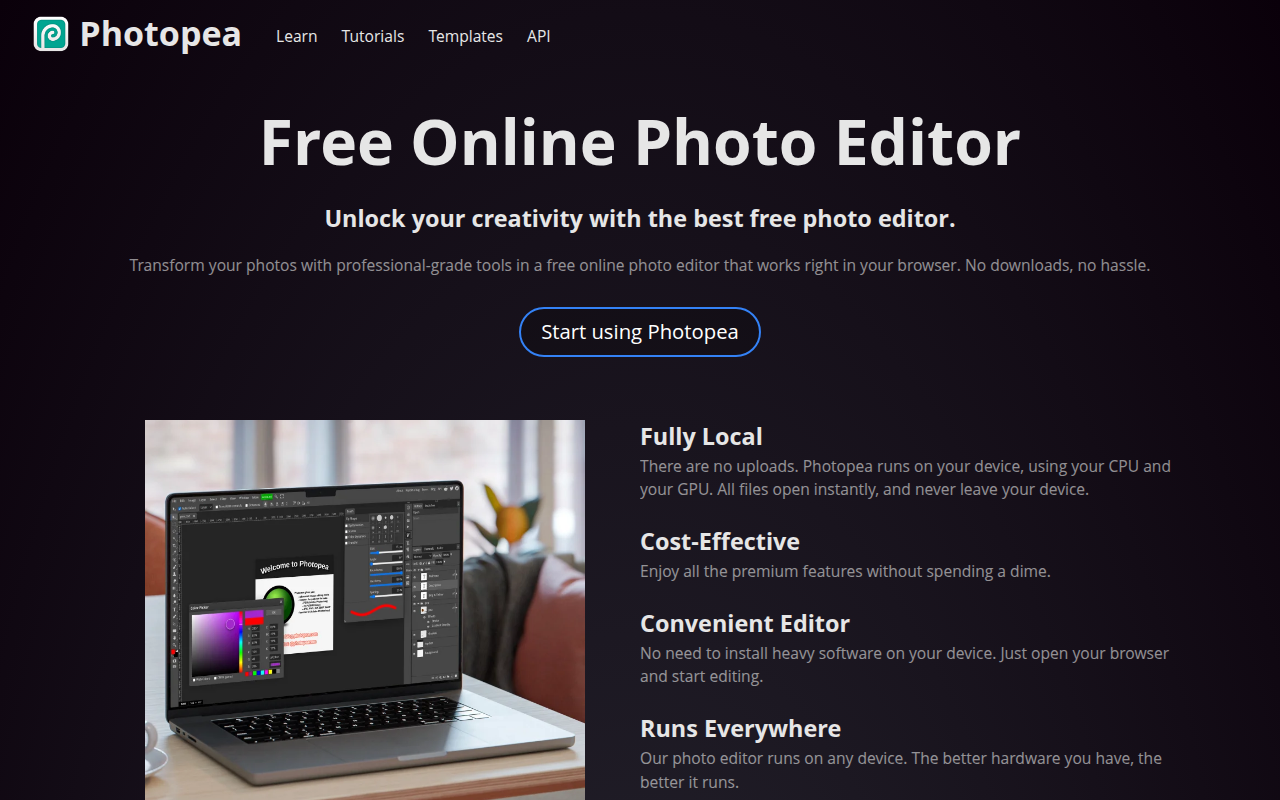
Photopea is a free browser-based image editor that serves as a Photoshop alternative, built by Czech solo developer Ivan Kutskir since 2013. Remarkable single-developer software story — tens of millions of monthly users, fully solo-developed, ad-supported with $5/month premium tier. Offers approximately 80% of Photoshop's functionality entirely in the browser with no install, no account required, full PSD file compatibility. Core features: Photoshop-equivalent UI with deliberate mirroring of layout for designer transition without retraining, full layer system with masks and adjustment layers and smart objects and layer effects, native .psd file opening/editing/saving without conversion, multi-format support (.ai Illustrator, .sketch, .xd, .pdf, .raw, .heic, plus standard image formats), full brush engine with custom brushes and tablet pressure sensitivity, selection and masking tools (magic wand, lasso, magnetic lasso, refine edge), color correction (curves, levels, hue/saturation, color balance), smart objects and filters for non-destructive editing, text and vector shape tools, AI features (generative fill, background removal, AI-assisted selection added 2023-2024), offline mode via service worker after first load, files processed entirely in browser (never uploaded to servers — privacy-respecting). Best for indie makers and solo founders replacing Photoshop for marketing work not justifying $22/month subscription, students and budget-constrained designers during learning phases, cross-platform teams on Linux/Chromebooks/iPad where Photoshop has no version, emergency image edits when away from primary design machine, opening client .psd files for viewing and asset extraction without Adobe subscription, quick image edits without installing software, casual photographers and content creators doing occasional editing. Pricing: Free forever with small banner ads (full feature set unlocked), Premium Monthly at $5/month (removes ads), Premium Annual at $40/year (save 33%). No enterprise tier, no upsell, no acquisition pressure. Direct competitors: Adobe Photoshop ($22.99/month, professional gold standard), GIMP (free open-source desktop alternative, dated UI), Krita (free open-source focused on digital painting), Pixlr (browser-based with simpler UI), Affinity Photo (one-time $69, desktop), Canva (general-purpose design with basic photo editing), Figma (UI design with basic image work). Photopea wins on browser-based access and PSD compatibility and free pricing and Photoshop-UI familiarity; Photoshop wins on professional ecosystem and AI features (Firefly) and plugin marketplace; GIMP wins on free open-source desktop with full feature depth; Affinity Photo wins on one-time desktop license.
⏱ 30-second verdict
- Free Photoshop-equivalent in the browser — opens .psd files natively, covers 95% of common use cases
- $5/month to remove ads is the cheapest serious image editor on the market vs Photoshop's $22.99/month
- Sustainability question (solo developer); AI features lag Photoshop Firefly; limited plugin ecosystem
About
Photopea is a powerful online photo editor that supports PSD, Sketch, XD, and other design file formats directly in your browser. It offers advanced features like layers, masks, smart objects, and filters that rival desktop applications. No installation or account required to start editing.
🎯 Why it's useful
Perfect for founders who need quick design edits without expensive software subscriptions. Edit contractor deliverables, tweak marketing assets, or open legacy PSD files without installing anything.
💜 Our take
It's genuinely shocking how capable this free browser tool is. Opens basically any design file format and feels like actual Photoshop, not a watered-down clone.
How indie founders use Photopea
Free Photoshop alternative
Indie makers and students who can't justify $22/month Photoshop subscription. Covers 95% of common use cases.
Open client .psd files
View and edit PSDs received from clients without Photoshop subscription. Best PSD compatibility outside Photoshop.
Cross-platform editing
Photoshop has no Linux version; Photopea works on Linux/Chromebooks/iPad browsers. True cross-platform editor.
Emergency edits anywhere
Need to edit an image while travelling without your design machine? Any browser + Photopea = full editor.
Photopea is the free, browser-based Photoshop alternative that has become one of the most remarkable single-developer software stories of the past decade. Built by Czech developer Ivan Kutskir since 2013 as a solo project, Photopea offers ~80% of Photoshop's functionality entirely in the browser — no install, no subscription, no account required. Tens of millions of users monthly, fully ad-supported (or $5/month to remove ads), and Ivan continues to ship updates as a solo developer. It's an unusual product story and a genuinely useful tool. What makes Photopea remarkable is the file format compatibility + feature depth. Photopea opens and edits .psd files natively — you can hand off Photoshop files between Adobe users and Photopea users without conversion. It also handles .ai (Illustrator), .sketch, .xd, .pdf, .raw, and dozens of other formats. The layer system, brushes, adjustment layers, masks, smart objects, and most Photoshop concepts work identically. For 95% of common Photoshop use cases (resize, retouch, layered design work, masking, color correction), Photopea is a complete drop-in replacement. The core feature set: • **Photoshop-equivalent UI** — the interface deliberately mirrors Photoshop, so designers transition without retraining • **Layer support** — full layer system with masks, adjustment layers, smart objects, layer effects • **PSD compatibility** — open and save .psd files natively without conversion • **Multi-format support** — opens .ai, .sketch, .xd, .pdf, .raw, .heic, plus standard image formats • **Brushes + drawing** — full brush engine with custom brushes, pressure sensitivity on tablet • **Selection + masking** — magic wand, lasso, magnetic lasso, quick selection, refine edge • **Color correction** — curves, levels, hue/saturation, color balance — all Photoshop adjustments • **Smart objects + filters** — non-destructive editing workflows • **Text + vector tools** — full type tools and vector shape tools • **Plugins** — limited plugin support compared to Photoshop, but growing ecosystem • **AI features** — generative fill, background removal, AI-assisted selection (added 2023-2024) • **Offline mode** — works offline via service worker after first load For designers + founders + casual editors the use cases: • **PSD viewing + light editing without Photoshop subscription** — open and edit client PSDs without paying Adobe • **Quick image edits without installing software** — resize, crop, color correct from any browser • **Solo founders + makers** — replace Photoshop for indie marketing work that doesn't justify $22/month subscription • **Students + budget-constrained designers** — free Photoshop replacement during learning phase • **Cross-platform teams (Linux, Chromebook)** — Photoshop has no Linux version; Photopea works everywhere • **Emergency edits when away from your Photoshop machine** — borrow any computer with a browser • **Open .psd files received from clients** — view + extract assets without subscription The pricing is the disruption story. Photopea is free with ads (small banner ads in the interface). Premium at $5/month or $40/year removes ads — easily the cheapest serious image editing tool on the market. Compare to Photoshop's $22.99/month. Solo developer Ivan Kutskir lives off this revenue + sustains development. There's no enterprise tier, no upsell, no acquisition (he's turned down offers). Where Photopea wins clearly: free + browser-based + Photoshop-compatible is a remarkable combination that doesn't exist elsewhere; covers 95% of common Photoshop use cases; the cross-platform nature (works on Linux + Chromebooks + iPad browsers) is uniquely valuable; the file format support is unmatched among free alternatives. Where it loses: not feature-equivalent to Photoshop for serious work (no advanced video editing, limited 3D tools, performance lags on very large files, plugin ecosystem is tiny); ads in the UI feel less polished than paid alternatives; sustainability question — what happens to Photopea if Ivan stops developing it? (he's been at it 12+ years, so the answer so far is 'nothing'); the AI features lag Photoshop's Firefly significantly. My take: Photopea is one of the best free productivity tools on the internet. For any founder, indie maker, student, or casual editor who needs Photoshop occasionally but can't justify the $22/month subscription, Photopea is the obvious choice. For professional designers doing daily Photoshop work for client billing, the productivity gain from Photoshop's polish + ecosystem + AI features still justifies the cost. But for the 80% of users who 'occasionally need Photoshop' — Photopea is the tool. Pay the $5/month to remove ads + support Ivan's ongoing development — it's a remarkable business and the support matters.
Pricing
Free
- ✓Full feature set unlocked
- ✓Small banner ads
- ✓PSD compatibility
- ✓All file formats supported
Premium Monthly
- ✓Remove all ads
- ✓Faster cloud saving
- ✓Priority support
- ✓Same features as Free
Premium Annual
- ✓Save 33% vs monthly
- ✓Same as Premium Monthly
- ✓Annual billing
- ✓Support solo developer
Free with ads · Premium $5/mo removes ads and supports development
Frequently asked questions
Photopea vs Adobe Photoshop?
Photopea is free (or $5/month), browser-based, Photoshop-UI-compatible, opens .psd files natively. Covers 95% of common Photoshop use cases. Photoshop is $22.99/month, desktop-only, with deeper professional features (advanced 3D, video editing, Firefly AI). For occasional use + indie work, Photopea. For professional daily use + client billing, Photoshop.
Is Photopea really free?
Yes — free with small banner ads in the interface. Full feature set unlocked at $0. Premium at $5/month removes ads (and supports solo developer Ivan Kutskir). No account required for basic use.
Can Photopea open Photoshop (.psd) files?
Yes — natively opens, edits, and saves .psd files without conversion. Layer support, masks, smart objects all work. You can hand off PSDs between Adobe users and Photopea users without issues. Best PSD compatibility outside Photoshop itself.
Is Photopea safe / private?
Yes — files are processed entirely in your browser, never uploaded to Photopea's servers. Open .psd file, edit, save back to your computer — your file never leaves your machine. Important for confidentiality-sensitive work.
What happens if Ivan stops developing Photopea?
Real sustainability question worth considering. Ivan has solo-developed Photopea for 12+ years and lives off the ad/subscription revenue (no acquisitions, no VC). Risk is real but the track record is strong. Mitigation: Photopea's PSD compatibility means files always work in Photoshop as backup; no vendor lock-in.
Reviews
No reviews yet — be the first.
Tools like Photopea
See all Design →Figma
The browser-based design tool everyone uses.
Webflow
No-code site builder that produces real CSS.
Yellow Images
The Largest Collection of PSD Mockups on the Internet!
Wise
The design system of Wise.
Who Can Use
A tool to show how color contrast can affect different people with visual impairments.
Websitevice
Website design examples for inspiration that get results instead of awards