Paletton
Create harmonious color schemes with an interactive color wheel.
Need an MVP like Paletton?
We'll build it in less than 7 days. Book a free discovery call with Tiny Startup Studio.
Book free discovery call →Quick summary of Paletton
Paletton is a classic color palette designer based on color theory rules — pick a base color, choose harmony type (complementary + triadic + tetradic + analogous + monochromatic), Paletton calculates the palette using color theory math. Adjust saturation + lightness + hue + complementary intensity to refine. Preview on sample webpage layouts + UI components + text contrasts. Export to CSS + HTML + image + LESS + SCSS + ASE (Adobe Swatch Exchange) + various formats. Distinguished from Coolors (modern UX + mobile apps + large community palette library + Pro at $5/mo) by structured color theory approach + classic palette construction methodology, distinguished from Adobe Color (Adobe ecosystem integrated + AI suggestions) by independent free tool, distinguished from Khroma (AI-powered personalized palette generation) by color theory rule-based approach vs AI generation, distinguished from Colour Lovers + Coolors community (palette discovery from sharing) by individual creation approach, distinguished from Tailwind Color Generator (Tailwind-specific shades) by general-purpose color theory tool. For designers + developers + students learning color theory + building palettes through structured color harmony rules, Paletton is established classic free tool 2026 (predates most modern alternatives). Core features: base color picker with color wheel + RGB + HEX + HSL inputs, multiple color harmony types (complementary for high contrast pairs, triadic for vibrant balanced three-color palettes, tetradic for complex four-color palettes, analogous for harmonious adjacent colors, monochromatic for cohesive single-hue palettes), color wheel visualization showing harmony relationships, saturation + lightness + hue + complementary intensity adjustments for refinement, preview on sample webpage layouts (header + body + sidebar + footer + buttons), UI component preview (cards + forms + buttons + headers), text contrast checking (verify readability with color combinations), example design preview in palette context, export to CSS code (HEX + RGB + HSL values), HTML color values, image export for sharing, LESS variables for LESS-based projects, SCSS variables for Sass-based projects, ASE (Adobe Swatch Exchange) for Adobe Creative Cloud integration, color theory educational tooltips explaining each harmony type, palette URL sharing for collaboration, no signup required for access, free for personal + commercial use, classic browser-based tool with established multi-year history. Best for designers + developers learning color theory through interactive experimentation seeing how different harmony types create different palette aesthetics, anyone building palettes from scratch using color harmony rules (preferring structured approach over random inspiration), students studying color theory + design principles in academic + bootcamp contexts, designers wanting structured approach to palette construction with rule-based methodology vs trial-and-error, longtime Paletton users with established workflows over years of usage, designers needing exports to multiple formats (CSS + LESS + SCSS + ASE) for various design + dev workflows, brand designers exploring color harmony for new brand identity systems, web designers checking color contrast + readability with preview tool. Skip for modern UX preferences + mobile usage where Coolors' apps + sharing + community library better match contemporary workflows, AI-powered palette generation where Khroma's personalized AI generation matches your specific aesthetic better than rule-based approach, Adobe ecosystem integration where Adobe Color's native CC sync makes more sense, community palette discovery where Colour Lovers + Coolors' shared libraries provide better starting points than generating from scratch, Tailwind-specific work where Tailwind Color Generator's shade generation matches Tailwind's color scale system better, users wanting cutting-edge tool with regular feature additions (Paletton is classic + stable rather than rapidly evolving). Pricing: completely free for all color theory features + harmony types + export formats + preview + personal + commercial use (classic free tool from late 2000s with established free availability). Direct competitors: Coolors (modern color palette tool with apps + community, free + Pro $5/mo), Adobe Color (Adobe Creative Cloud integrated, free + Adobe ecosystem), Khroma (AI-powered palette generation, free + Pro), Colour Lovers (community palette sharing platform, free), Color Hunt (curated color palettes, free), Tailwind Color Generator (Tailwind-specific shades, free), Material Design Color Tool (Material Design palettes, free), Coolify Colors + similar newer entrants, ColorSpace (similar palette generator), Mycolor.space (palette tool), Picular (color picker + palettes). Paletton wins on color theory education + structured palette construction + classic established methodology + free + multiple export formats; Coolors wins on modern UX + mobile apps + community library + Pro features; Adobe Color wins on Adobe ecosystem integration; Khroma wins on AI personalized generation; Colour Lovers + Color Hunt win on community curation. For structured color theory-based palette construction in 2026, Paletton remains useful classic free tool with educational value despite modern alternatives winning everyday workflows.
⏱ 30-second verdict
About
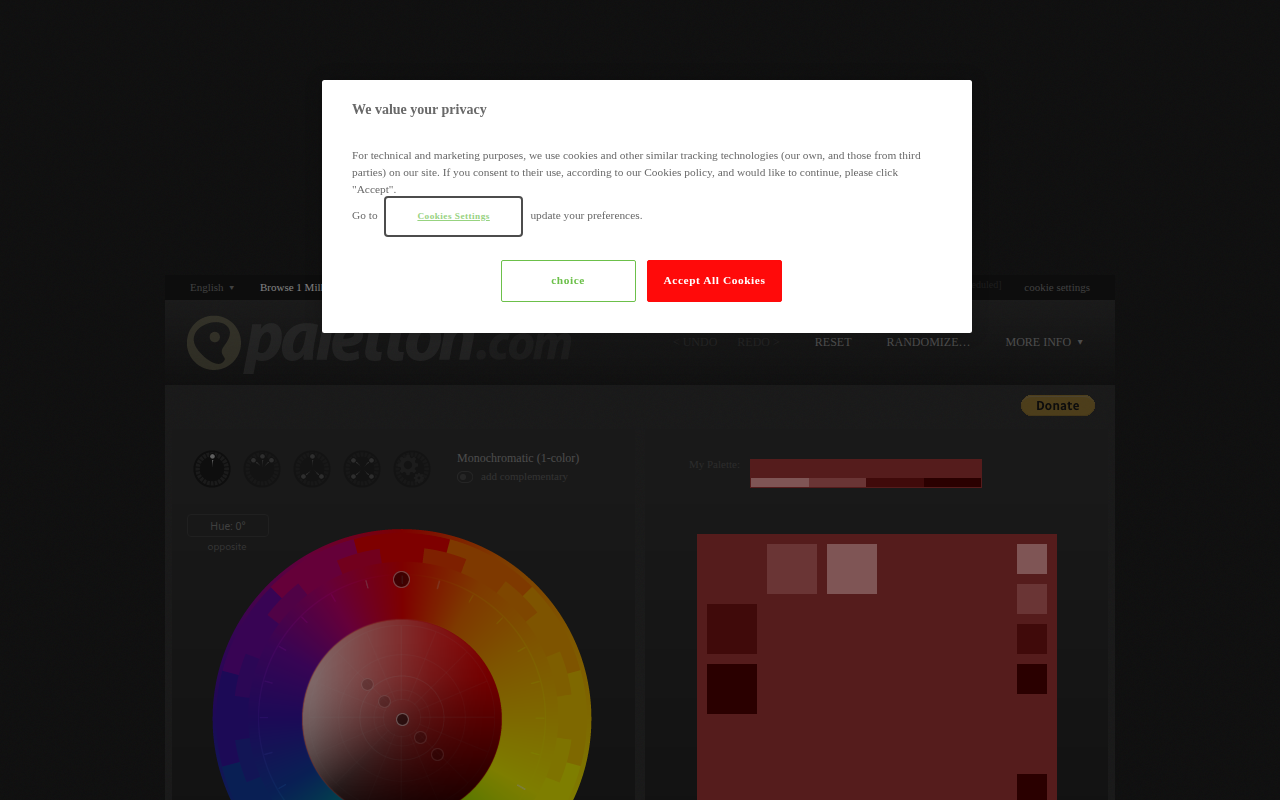
Paletton is a color scheme designer that uses color theory principles to generate harmonious palettes. Choose from complementary, triadic, tetradic, and analogous color combinations, then fine-tune hue, saturation, and brightness. Export your palettes as CSS, LESS, XML, or images.
🎯 Why it's useful
When building your landing page or app UI, Paletton helps you quickly generate professional color schemes that work together without needing design expertise.
💜 Our take
It's been around forever and just works. The visual color wheel makes it dead simple to experiment with different color harmonies until something clicks.
How indie founders use Paletton
Structured palette building
Build palettes using color theory rules (complementary, triadic, tetradic, analogous, monochromatic). Structured approach vs random inspiration.
Learn color theory
Interactive color theory education. See how harmony types work through experimentation. Designers + students learning fundamentals.
Refine existing palettes
Adjust saturation + lightness + hue + complementary intensity to refine palettes. More control than random palette generators.
Multiple format exports
Export to CSS + HTML + LESS + SCSS + ASE + image formats. Comprehensive workflow integration.
Paletton is a classic color palette designer that's been around since the late 2000s — the OG online color theory tool that taught a generation of web designers how to build harmonious color palettes using complementary + triadic + tetradic + analogous color relationships. Predates Coolors + Adobe Color + most modern alternatives. What it does: pick a base color, choose harmony type (complementary, triadic, tetradic, analogous, monochromatic), Paletton calculates the rest of the palette using color theory rules. Adjust saturation + lightness + hue + complementary intensity to refine. Preview the palette on sample webpage layouts + UI components + text contrasts. Export as CSS + HTML + image + LESS + SCSS + ASE (Adobe Swatch Exchange) + various formats. The educational value is real. Paletton teaches color theory through interactive experimentation: see how complementary colors work (opposites on color wheel), how triadic creates vibrant balanced palettes (three colors evenly spaced), how analogous creates harmonious related palettes (adjacent colors). Designers + developers + students learning color theory benefit from Paletton's structured approach. Honest landscape: color tools have proliferated. Coolors (more modern UX, mobile apps, large library) is the established Paletton successor for color palettes. Adobe Color (Adobe-integrated, AI suggestions). Khroma (AI-powered palette generation). Colour Lovers (community-shared palettes). Tailwind Color Generator (Tailwind-specific shades). Paletton remains useful for color theory learning + structured palette construction, but modern tools often win on UX + features. Who should use it: designers + developers learning color theory through interactive experimentation, anyone building palettes from scratch using color harmony rules, students studying color theory + design principles, designers wanting structured approach to palette construction vs random inspiration, and longtime Paletton users with established workflows. Where to look elsewhere: modern UX + mobile usage (Coolors better with apps + sharing), AI-powered palette generation (Khroma generates personalized palettes), Adobe ecosystem integration (Adobe Color), community palette discovery (Colour Lovers + Coolors libraries), and Tailwind-specific work (Tailwind Color Generator). Free for core functionality. Like Fonts Ninja and many design tools, Paletton remains useful for its specific niche even as competitors offer broader features.
Pricing
Free
- ✓All color theory features
- ✓Multiple harmony types
- ✓Export to CSS/HTML/Image
- ✓Preview on layouts
- ✓Personal + commercial use
Free
Frequently asked questions
Is Paletton free?
Yes — completely free for all color theory features + multiple harmony types + export to CSS/HTML/Image + preview on layouts + personal + commercial use. No paid tier as far as the original tool.
Paletton vs Coolors?
Coolors is more modern with better UX + mobile apps + large library + community palettes ($0 + Pro $5/mo). Paletton is structured color theory approach. Pick Coolors for modern usage + discovery; Paletton for learning color theory + structured palette construction.
What's color harmony?
Color theory rules for building balanced palettes: complementary (opposites on color wheel — high contrast), triadic (three colors evenly spaced — vibrant balanced), tetradic (four colors in two complementary pairs — complex), analogous (adjacent colors — harmonious), monochromatic (single hue with varied saturation/lightness — cohesive). Paletton calculates each given a base color.
Can I export palettes?
Yes — export as CSS + HTML + image + LESS + SCSS + ASE (Adobe Swatch Exchange) + various formats. Comprehensive export options for use in any design or development workflow.
Is Paletton still relevant?
Yes for color theory education + structured palette construction. Modern alternatives (Coolors, Adobe Color, Khroma) win on UX + features for everyday palette discovery, but Paletton's color theory teaching value remains unique.
Reviews
No reviews yet — be the first.
Tools like Paletton
See all Design →Figma
The browser-based design tool everyone uses.
Webflow
No-code site builder that produces real CSS.
Yellow Images
The Largest Collection of PSD Mockups on the Internet!
Wise
The design system of Wise.
Who Can Use
A tool to show how color contrast can affect different people with visual impairments.
Websitevice
Website design examples for inspiration that get results instead of awards