Granola
AI notes for every meeting you attend.
Grow your DR (guaranteed) & Rank on Google, ChatGPT, and Claude
🚀 DR Boost — £199
5× dofollow backlinks from DR 20–70 sites
⚡ DR Mega Boost — £279 Best value
10× dofollow backlinks — 30% cheaper per link
Quick summary of Granola
Granola is the AI meeting notes app that has become one of the fastest-growing productivity tools in 2024-2025, founded in 2023 by Chris Pedregal (ex-Socratic acquired by Google) and Sam Stephenson. Distinguished from Otter and Fireflies by running locally on Mac without joining meetings as a bot — privacy + professionalism + UX advantages that have driven viral adoption among founders and executives. Records meeting audio locally, generates AI notes in real-time during the call, synthesises polished summary after. Core features: local Mac-native audio recording without joining as bot, real-time AI notes generated during the meeting (visible + editable as you talk), post-meeting AI-powered summary with action items + decisions + key topics, preset templates (1-on-1, sales call, customer interview, board meeting, brainstorm), custom templates for recurring meeting types, AI chat for asking questions about meeting content, personalisation learning your note-style preferences over time, multiple speakers and voice detection when speakers explicitly named, Google Calendar + iCal integration showing upcoming meetings with templates, shareable links for meeting notes with per-meeting sharing control, natural-language search across all notes, tags and folders for organising by client/project/type, audio playback for specific sections, export to Notion/Slack/email after meeting, fundamentally no-bot-joining architecture. Best for founder and executive daily meetings capturing without bot privacy issues, customer discovery interviews focusing on conversation while AI handles notes, 1-on-1 management with personalised templates and shared commitments, sales discovery and demo calls with action items synthesised, investor meetings without awkward bot, formal board meetings for governance documentation, customer success calls tracking feedback across team, brainstorming sessions capturing ideas without typing distraction. Pricing: Free tier (5 meetings/month, AI notes + summaries, templates), Pro Annual at $14/month (unlimited meetings, custom templates, AI chat), Pro Monthly at $18/month, Business at $29/user/month (team features, admin, advanced integrations). Cheaper than Otter ($16.99+/month) and Fireflies ($18+/month) for similar functionality. Direct competitors: Otter ($16.99+/month, bot-joins, Windows-friendly), Fireflies ($18+/month, bot-joins, CRM integration), Fellow (meeting management with transcription), Tactiq (Chrome extension transcript), Sembly (meeting AI), Notion AI (general AI in workspace), Read AI (meeting analysis), Zoom AI Companion (Zoom-native), Microsoft Copilot for Teams (Teams-native), Krisp Notes (noise cancellation + notes). Granola wins on no-bot-joining experience and Mac-native polish and privacy posture and real-time note generation; Otter wins on Windows/Linux support and sales CRM integration; Fireflies wins on CRM-deep integrations; Zoom/Teams AI win on platform-native integration; Notion AI wins on workspace integration.
⏱ 30-second verdict
- No-bot-joining experience is genuinely differentiated — privacy + professionalism + UX advantages
- Real-time AI notes during meeting feel magical; polished UX feels like Apple product
- Mac-only (no Windows/Linux); less mature than Otter for sales CRM integration depth
About
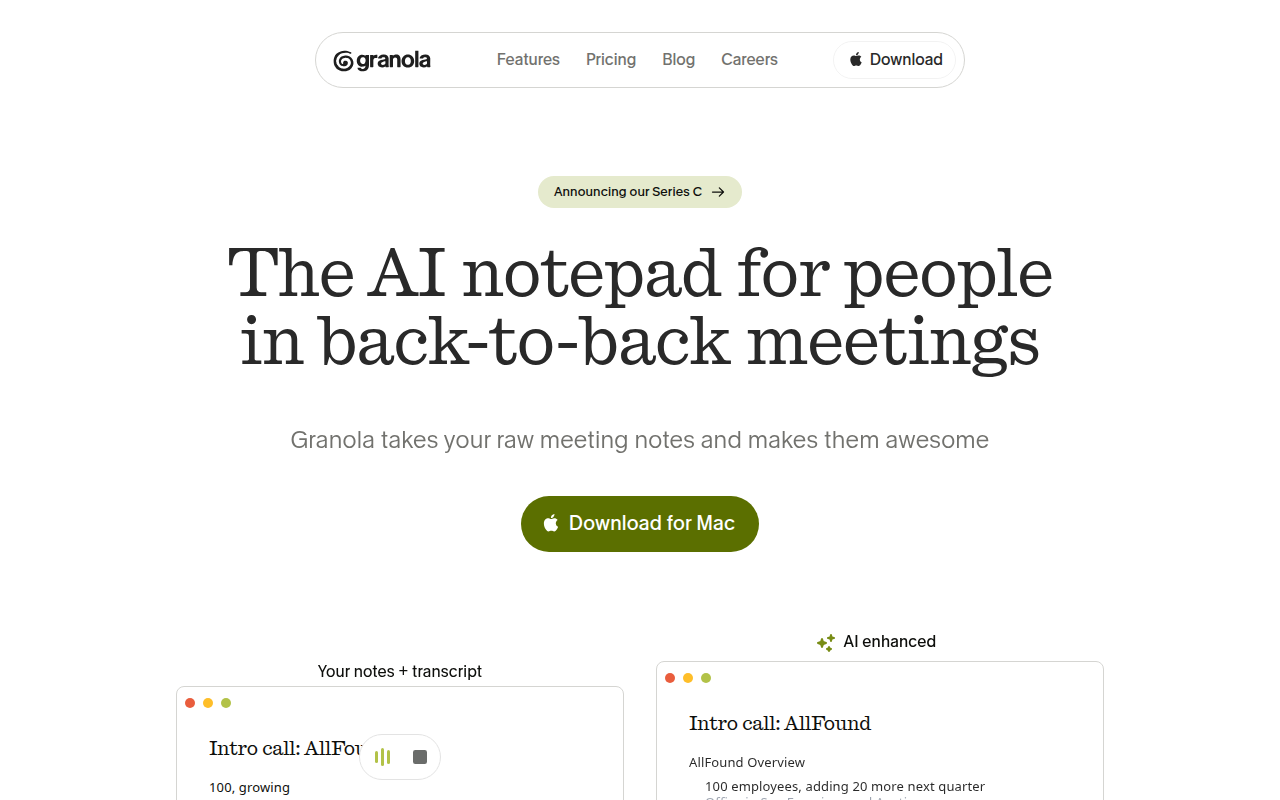
A native macOS/iOS app that listens to meetings (Zoom, Meet, in-person) and produces structured notes. You can edit or chat with the transcript afterward.
🎯 Why it's useful
Replaces 80% of the "what did we agree to?" Slack threads. Notes are searchable across every meeting.
💜 Our take
It nails the format: bullet points instead of paragraphs, and the AI summary actually captures the decisions, not just the words.
Key Features
Integrations
✓ Best for
Remote-first teams, consultants, and sales professionals who attend frequent video calls and need automatically summarized notes without manual transcription. Best for Apple ecosystem users (macOS/iOS).
✗ Not ideal for
Windows-only users (lacks native Windows app). Teams that need real-time transcription during calls or require on-premise/self-hosted solutions may find limitations.
How indie founders use Granola
Founder + executive daily meetings
Capture without bot privacy issues. No more 'who's this bot?' moments in investor meetings.
Customer discovery interviews
Focus on conversation while Granola handles notes. Real-time AI notes mean better follow-up questions.
1-on-1 management
Capture commitments + action items in shared 1-on-1 space. Personalised templates for direct reports.
Investor + board meetings
Formal note-taking without awkward bot. Professional documentation for governance + investor communication.
Granola is the AI meeting notes app that has quietly become one of the fastest-growing productivity tools in 2024-2025, founded in 2023 by Chris Pedregal (ex-Y Combinator + Socratic acquired by Google) and Sam Stephenson. The pitch is genuinely differentiated: most AI meeting tools (Otter, Fireflies, Fellow) require you to join meetings with a bot or upload recordings after. Granola runs locally on your Mac, captures meeting audio, takes AI notes in real-time during the call, then synthesises a polished summary after — all without joining meetings as a bot or sending recordings to any server. What makes Granola spread virally among founders + executives is the privacy + UX + 'feels native' design. The local recording + processing means meetings never get a bot joining (no awkward 'who is this bot?' moments), no recordings sent to third parties, and no employer privacy concerns. The UX is Mac-native + beautiful (designed by ex-Square + Stripe designers). And the AI notes during the meeting let you stay engaged in conversation while Granola handles documentation. The result: founders + execs are switching from Otter/Fireflies to Granola at remarkable rates. The core feature set: • **Local audio recording** — Mac-native recording without joining meetings as a bot • **Real-time AI notes** — notes generated during the meeting, viewable + editable as you talk • **AI-powered summary** — post-meeting synthesis into action items + decisions + key topics • **Templates** — preset note structures (1-on-1, sales call, customer interview, board meeting, brainstorm) • **Custom templates** — define your own note structure for recurring meeting types • **AI chat** — ask questions about your meeting content ('what did Sarah commit to?') • **Personalisation** — Granola learns your preferences for note style over time • **Multiple speakers + voice detection** — identify speakers when explicitly named • **Calendar integration** — Google Calendar + iCal showing upcoming meetings with templates • **Sharing** — generate shareable links for meeting notes; control sharing per meeting • **Search across all notes** — find old meeting content via natural language search • **Tags + folders** — organise meetings by client, project, type • **Audio playback** — listen back to specific sections (though most users don't) • **Export to Notion / Slack / email** — push notes to existing tools after meeting • **No bot joining** — meetings never have a Granola bot — privacy + UX advantage For founders + executives + consultants the use cases: • **Founder + executive meetings** — capture daily meetings without bot privacy issues • **Customer discovery interviews** — focus on conversation while Granola handles notes • **1-on-1 management** — capture commitments + action items in shared 1-on-1 space • **Sales calls** — discovery + demo notes with action items synthesised • **Investor meetings** — capture investor questions + commitments without awkward bot • **Board meetings** — formal note-taking for governance documentation • **Customer success calls** — track customer feedback + commitments across team • **Brainstorming sessions** — capture ideas without distraction of typing The pricing is generous early-tier + tiered for scale. Free tier covers 5 meetings/month with AI notes + summaries — actually usable for evaluation. Pro at $14/month annual (or $18/month monthly) gives unlimited meetings + templates + AI chat. Business at $29/month adds team features + admin + advanced integrations. Pricing is meaningfully cheaper than Otter ($16.99+/month for less polished UX) and Fireflies ($18+/month). Where Granola wins clearly: the no-bot-joining experience is genuinely differentiated and important for many users (privacy, professionalism, employer concerns); the real-time AI notes during the meeting feel magical (visible + editable as you talk); the UX is the most polished in the AI meeting category — feels like an Apple product; the local recording + processing addresses privacy concerns that Otter/Fireflies can't; the personalisation that learns your preferences over time is increasingly powerful. Where it loses: Mac-only — no Windows, Linux, or mobile recording (you can review notes on mobile via web but not record); for meetings on Google Meet / Zoom / Teams, Granola needs your Mac to be in the meeting (which is fine for in-person + most virtual but limits for some workflows); less mature than Otter for sales-specific features (CRM integration depth); newer company with less enterprise credibility. My take: for founders + executives + consultants doing daily meetings on Mac who care about privacy + UX + polish — Granola is the right call and the growth in 2024-2025 reflects this. The free tier (5 meetings/month) is enough to evaluate; Pro tier ($14/month annual) is reasonable for active meeting-havers. For sales teams with deep CRM integration needs (Salesforce, HubSpot tie-in), Fireflies or Gong may still win. For Windows users, Otter or Fireflies remain options. But the Granola trajectory suggests this becomes the new default for individual professionals. If you're still using Otter and finding the bot-joining awkward, give Granola a try — the experience genuinely is better.
Pricing
Free
- ✓5 meetings/month
- ✓AI notes + summaries
- ✓Templates included
- ✓Useful for evaluation
Pro Annual
- ✓Unlimited meetings
- ✓All templates + custom
- ✓AI chat with notes
- ✓Standard individual tier
Pro Monthly
- ✓Same as Pro Annual
- ✓Monthly billing
- ✓Cancel anytime
- ✓Slight premium for flexibility
Business
- ✓Team features + admin
- ✓Advanced integrations
- ✓Priority support
- ✓Shared workspace
Free tier available · Pro $10/mo · Team pricing available (contact sales)
Frequently asked questions
Granola vs Otter / Fireflies?
Granola runs locally on Mac (no bot joins meetings) — privacy + professionalism advantages. Otter/Fireflies join meetings as bots (awkward but works on Windows + Linux). For Mac users prioritising privacy + UX, Granola wins decisively. For Windows/Linux users or sales teams needing deep CRM integration, Otter or Fireflies. Granola's growth in 2024-2025 reflects the experience advantage.
Is Granola free?
Yes — free tier covers 5 meetings/month with AI notes + summaries. Genuinely usable for evaluation. Pro at $14/month annual unlocks unlimited meetings + custom templates + AI chat with notes. Cheaper than Otter ($16.99+/month) and Fireflies ($18+/month) for similar functionality.
Does Granola work on Windows?
Not yet — Mac-only as of 2026. Windows version has been promised but not shipped. For Windows users, Otter or Fireflies remain the options. Granola team has focused on Mac-native experience first; cross-platform support is on roadmap but no timeline.
How does Granola work without joining meetings?
Granola runs locally on your Mac and captures audio through your Mac's microphone + system audio (Zoom/Meet/Teams audio). Records locally, processes with AI to generate notes during the meeting. Audio never leaves your Mac except for AI summarisation (which uses OpenAI/Anthropic APIs). No bot ever joins. Privacy-first architecture.
What about privacy with AI processing?
Granola sends transcript to OpenAI/Anthropic for AI summary generation (industry standard for AI tools). Audio recordings stay local. Notes are stored encrypted. You can delete meetings + notes at any time. Privacy posture is meaningfully better than Otter/Fireflies (which record + store audio centrally) but not zero-knowledge — you trust Granola + AI providers for transcript processing.
Reviews
No reviews yet — be the first.
Tools like Granola
See all Productivity →Notion
The all-in-one workspace for notes, docs, and projects.
Linear
Issue tracking that respects your time.
PDF0
Fast, free PDF tools that run entirely in your browser.
Yo!
The Yo! Podcast spotlights incredible designers, developers, makers and entrepreneurs building their own future.
Workflow
Workflow is a project manager built for creative teams. Streamlines reviews and iterations. Built-in AI catches design mistakes.
Webflail
Join 750+ designers and developers to learn how to reach a profitable and fulfilling freelancing from expert Webflowers.