Excalidraw
Whiteboard sketches that look like whiteboard sketches.
Grow your DR (guaranteed) & Rank on Google, ChatGPT, and Claude
🚀 DR Boost — £199
5× dofollow backlinks from DR 20–70 sites
⚡ DR Mega Boost — £279 Best value
10× dofollow backlinks — 30% cheaper per link
Quick summary of Excalidraw
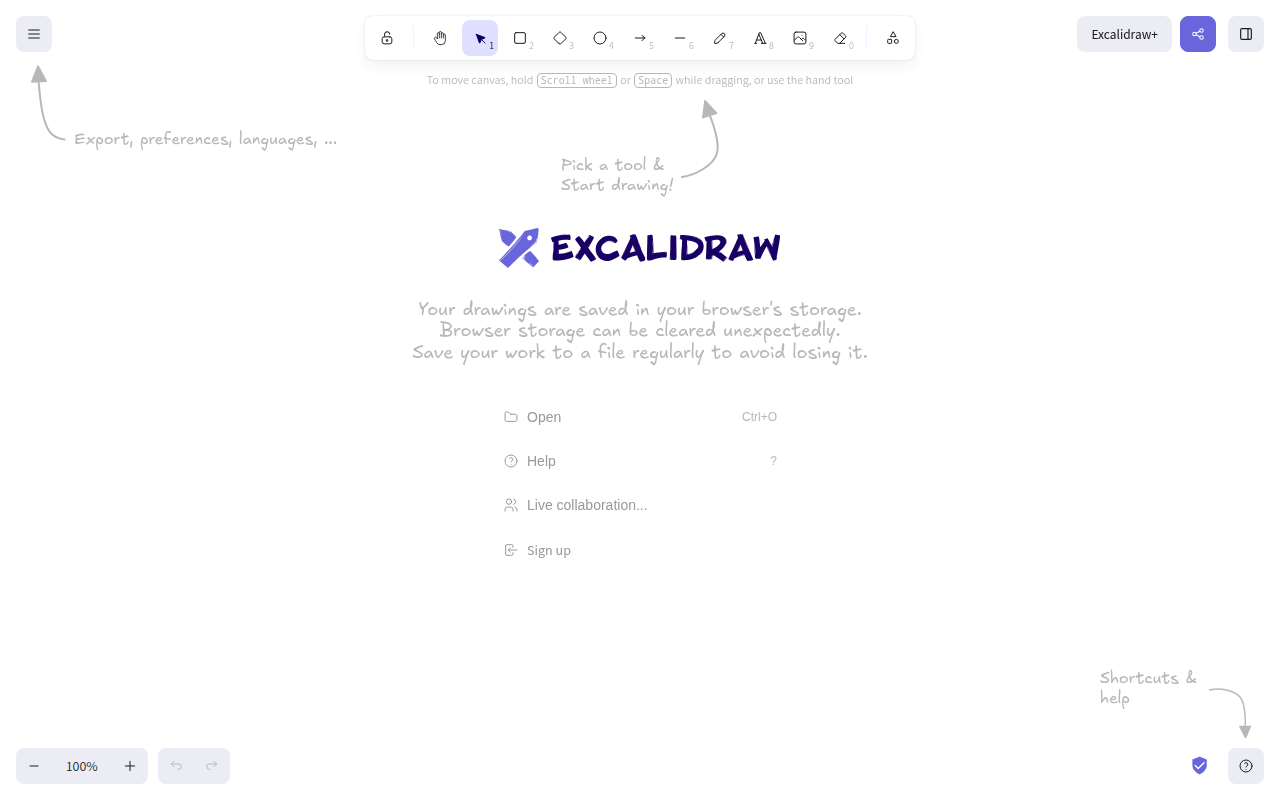
Excalidraw is a virtual collaborative whiteboarding tool that produces hand-drawn-looking diagrams, founded in 2020 by Christopher Chedeau (vjeux), Lipis, and David Luzar. It's open source (MIT license) and offered free at excalidraw.com with no signup required, plus a paid Excalidraw+ team-collaboration tier. Core features: shape libraries (boxes, arrows, hand-drawn lines), collaborative editing (Excalidraw+), AI-generated diagram scaffolds, library of custom shapes, real-time multiplayer cursors, embedding library for third-party apps (used by Notion, Obsidian), URL-encoded diagram sharing without account, and PNG/SVG export. Best for architecture diagrams, system flow charts, simple wireframes, decision trees, and any boxes-and-arrows diagramming where the hand-drawn aesthetic adds character. Free at excalidraw.com; Excalidraw+ is $7-8/user/month for team collaboration. Direct competitors: Miro (large infinite-canvas workshops), FigJam (Figma-integrated brainstorming), tldraw (similar pixel-perfect canvas), Mural (workshop-focused), Whimsical (more structured diagramming), Diagrams.net (legacy free alternative). Excalidraw wins on speed, simplicity, and the hand-drawn aesthetic; Miro wins on large workshops; FigJam wins on Figma integration.
⏱ 30-second verdict
- Free, no signup, hand-drawn aesthetic that makes diagrams readable
- Open source — self-hostable, embeddable, fully owned
- Not for design wireframes or 20-person infinite-canvas workshops
About
Open-source virtual whiteboard with a hand-drawn aesthetic. Free, multiplayer, end-to-end encrypted, embeddable.
🎯 Why it's useful
When you need a diagram in a doc that looks "drawn", not "designed", nothing else compares. Perfect for engineering blog posts.
💜 Our take
It's free, works offline, and the export is crisp. We use it for every architecture diagram.
Key Features
Integrations
✓ Best for
Product teams, UX designers, and developers who need quick collaborative wireframing and diagramming without learning complex design tools. Solo founders sketching out ideas or technical architecture with teammates.
✗ Not ideal for
Teams requiring professional branding, pixel-perfect design, or formal documentation. Users needing advanced design features like typography controls, color management, or export to design systems.
How indie founders use Excalidraw
Architecture diagrams
Sketch system architecture, database schemas, API flows. The hand-drawn look keeps diagrams readable even when complex.
Flow charts + decision trees
Process flows, decision trees, state machines. Boxes and arrows with labels — the use case Excalidraw is built for.
Quick brainstorm sketches
Whiteboard-style ideation for 1-5 person calls. Faster than Miro for small-group thinking sessions.
Documentation diagrams
Export to PNG/SVG and embed in your README, design doc, or knowledge base. Excalidraw diagrams age better than slick vector ones — they don't feel dated in 5 years.
Excalidraw is the whiteboarding tool you use when you don't want to think about which whiteboarding tool to use. It looks hand-drawn. It loads in two seconds. It's free. The diagrams you make in it feel like the diagrams you'd draw on a real whiteboard, which somehow makes them more readable than the slick vector graphics Miro produces. For founders explaining architecture, mapping flows, or sketching ideas, Excalidraw is the obvious choice. The whole thing is open source. Excalidraw.com is free with no signup. You can self-host it. You can use it offline. Drag a URL with your diagram baked into it (Excalidraw encodes diagrams into URL state so you can share without an account). For a tool that thousands of founders and engineering teams use daily, the 'free, no account, instantly usable' default is rare and good. The paid product (Excalidraw+) is the team-collaboration version. $7/user/month gets you collaborative editing, shared workspaces, exporting to PNG/SVG, and a few quality-of-life features. Most solo founders never need this; the free tool is enough. But for teams that draw diagrams together, Excalidraw+ replaces FigJam or Miro at a fraction of the price. What Excalidraw is genuinely great for: architecture diagrams, system flow charts, simple wireframes, decision trees, anything that involves boxes and arrows with labels. The hand-drawn aesthetic stays charming even when the diagram is complex. Pair it with the AI feature (paid, generates a starter diagram from a prompt) for first-draft scaffolds. What it's not for: production-quality slides (use Pitch or Gamma), wireframes for design handoff (use Figma), serious infinite-canvas brainstorming for 20+ person workshops (Miro or FigJam still win). Excalidraw shines in the 1-5 person diagramming use case. My take: install Excalidraw as a bookmark today if you haven't. It's the kind of tool that becomes part of your workflow within a week — every time you need to explain a system or sketch an idea, you'll reach for it. Pair with the VS Code extension (yes, there's one) to draw diagrams inside your code editor. For solo founders, the free tier is forever. For teams of 5+ doing collaborative architecture work, Excalidraw+ is the cheapest serious whiteboarding tool you can buy.
Pricing
Excalidraw
- ✓Free at excalidraw.com
- ✓Open source (MIT license)
- ✓Self-hostable
- ✓Diagrams encoded in URL
Excalidraw+
- ✓Collaborative editing
- ✓Shared workspaces
- ✓AI diagram generation
- ✓PNG/SVG export
Excalidraw+ Team
- ✓Team libraries + templates
- ✓Centralised billing
- ✓Roles + permissions
- ✓Priority support
Free · Excalidraw+ (optional cloud sync) $5.99/mo
Frequently asked questions
Is Excalidraw free?
Yes. The web app at excalidraw.com is completely free with no signup required. Open source under MIT license — you can self-host it or embed it in your own product. Paid Excalidraw+ ($7-8/user/month) adds team collaboration features.
Excalidraw vs Miro, which should I use?
Excalidraw for quick architecture diagrams, flow charts, and small-team collaboration. Miro for large infinite-canvas brainstorming, complex workshops, and 20+ person sessions. Excalidraw wins on speed and simplicity; Miro wins on workshop power features.
Excalidraw vs FigJam?
Excalidraw for the hand-drawn aesthetic and pure diagramming. FigJam for Figma-integrated brainstorming (sticky notes, voting, templates) and design-team workflows. Different vibes — Excalidraw feels like a whiteboard, FigJam feels like a digital workshop tool.
Can I embed Excalidraw in my product?
Yes. The Excalidraw library is npm-installable and MIT-licensed. You can embed the editor in your own app, save/load diagrams via your backend. Notion uses this; so does Obsidian via plugin. The embedding ecosystem is one of Excalidraw's strongest network effects.
Does Excalidraw work offline?
Yes. The web app caches everything locally; you can work offline and your diagrams stay in browser storage. There's also a desktop app for Mac, Windows, and Linux that's fully offline-first.
Reviews
No reviews yet — be the first.
Tools like Excalidraw
See all Design →Figma
The browser-based design tool everyone uses.
Webflow
No-code site builder that produces real CSS.
Yellow Images
The Largest Collection of PSD Mockups on the Internet!
Wise
The design system of Wise.
Who Can Use
A tool to show how color contrast can affect different people with visual impairments.
Websitevice
Website design examples for inspiration that get results instead of awards