Cal.com
Open-source scheduling, infinitely flexible.
Grow your DR (guaranteed) & Rank on Google, ChatGPT, and Claude
🚀 DR Boost — £199
5× dofollow backlinks from DR 20–70 sites
⚡ DR Mega Boost — £279 Best value
10× dofollow backlinks — 30% cheaper per link
Quick summary of Cal.com
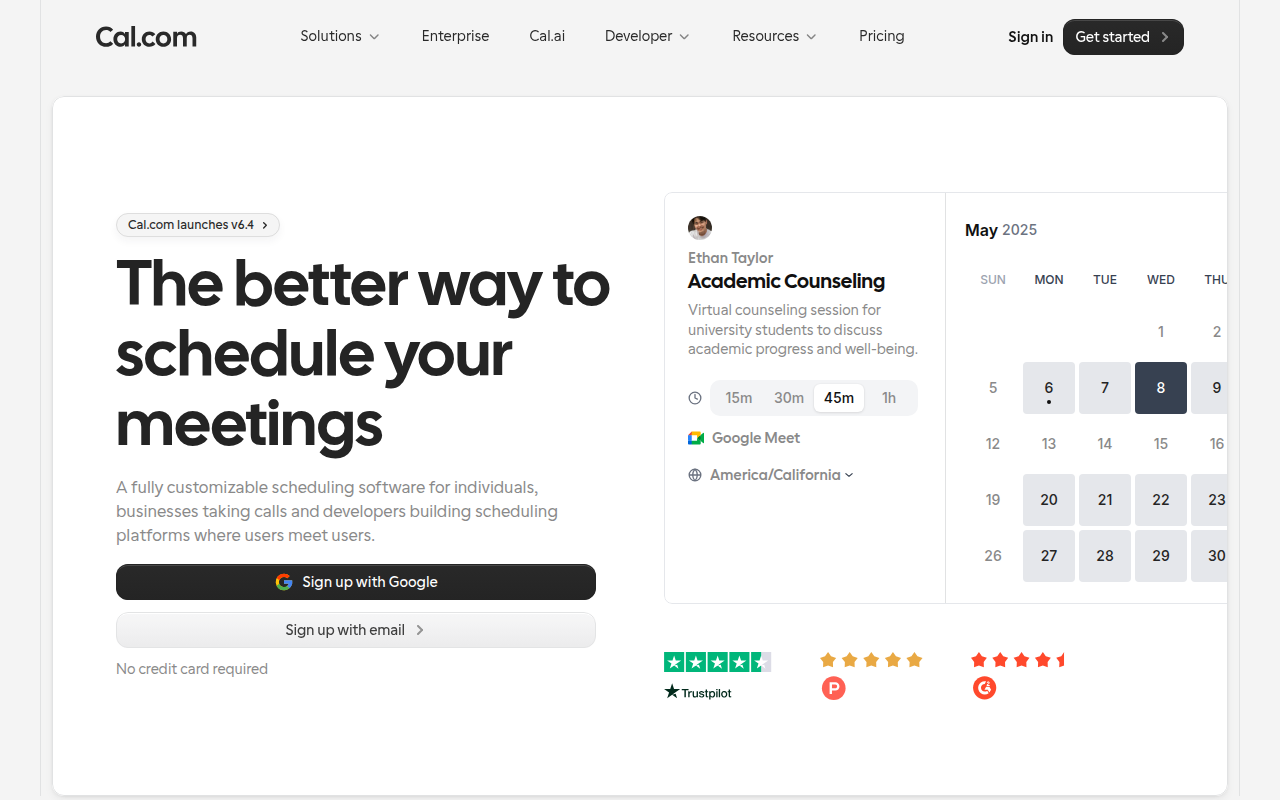
Cal.com is an open-source scheduling and meeting infrastructure platform founded in 2021 by Peer Richelsen and Bailey Pumfleet. Positioned as a Calendly alternative with open-source flexibility, full API access, embed-anywhere architecture, and self-hostable deployment for compliance-heavy industries. Core features: event types (15/30/60min calls, group events, round-robin, collective), full two-way calendar sync with Google/Outlook/iCloud/Office365, native video integrations with Zoom/Google Meet/Microsoft Teams/Daily/Whereby/Jitsi, workflows for automated reminder emails and SMS, routing forms for lead qualification and team assignment, white-label embed (inline, popup, floating button), Stripe payment collection before booking, 100+ app integrations, webhooks for everything, full REST API. Best for technical founders, B2B sales teams needing round-robin lead routing, agencies and consultancies collecting payment with booking, customer success teams scheduling check-ins, and SaaS products embedding scheduling inside their app. Pricing: Free forever for individuals (unlimited event types, unlimited bookings, all integrations), Teams at $15/user/month (round-robin, routing forms, workflows, white-label), Organizations at $37/user/month (SAML SSO, insights), self-hosted free + infrastructure costs. Direct competitors: Calendly (legacy default, 10+ years category leader), SavvyCal (founder-friendly competitor), Chili Piper (enterprise B2B routing), HubSpot Meetings (CRM-bundled), Zoho Bookings (suite-bundled), TidyCal (one-time payment alternative), Reclaim.ai (AI-scheduling overlay). Cal.com wins on open-source + API depth + price past 2 users; Calendly wins on category trust in non-technical SMB; Chili Piper wins on enterprise B2B sales depth.
⏱ 30-second verdict
- Open-source + API-first — embed and customise far beyond what Calendly allows
- Dramatically cheaper past 2 users — Teams plan undercuts Calendly's equivalent
- Calendly still has 10+ years of category trust in non-technical SMB market
About
A scheduling tool you can self-host or use as SaaS. Workflows, routing forms, team round-robin, and great calendar conflict logic.
🎯 Why it's useful
The free tier covers everything most founders need. Self-hostable when you outgrow shared infrastructure.
💜 Our take
The routing forms — "this lead → this CSM" — make it usable as a real go-to-market tool, not just a personal scheduler.
Key Features
Integrations
✓ Best for
Solo founders and small teams who want full scheduling control without vendor lock-in. Developers and technical teams will especially value the self-hosted option and open-source flexibility.
✗ Not ideal for
Non-technical teams looking for zero-setup scheduling; Cal.com's power comes from customization, which requires some configuration overhead. Those needing enterprise-grade support should consider alternatives.
How indie founders use Cal.com
Solo founder demo calls
Free tier covers everything. Embed on landing page, sync with Google Calendar, automatic Zoom links. Zero cost.
B2B sales round-robin
Routing forms qualify leads, round-robin assigns to fair rep. Workflows send reminder + follow-up. Replaces Calendly Enterprise at half the price.
Agency client scheduling
Multiple service types with different durations + Stripe payment collection before booking. Built-in invoicing handoff.
Embedded scheduling in your app
White-label embed inside your product so customers book without leaving. API-first means deep integration is realistic.
Cal.com is the open-source scheduling infrastructure, founded in 2021 by Peer Richelsen and Bailey Pumfleet as a Calendly alternative. The pitch in one line: Calendly's UX with open-source flexibility, embeddable anywhere, self-hostable if you want, and dramatically more affordable as your team scales. It's grown rapidly to become the default choice for technical founders and modern teams. What distinguishes Cal.com from Calendly is the API-first, developer-friendly architecture. Calendly is a polished SaaS product with limited extensibility. Cal.com is a platform — you can embed booking widgets anywhere, white-label completely, build custom workflows with their API, run it on your own infrastructure if compliance demands it, and integrate it deeply into product flows in ways that aren't possible with Calendly. The core feature set: • **Event types** — 15min calls, 30min demos, 60min consults, group events, round-robin assignments, collective scheduling (multiple hosts must all be free) • **Calendar integrations** — Google, Outlook, iCloud, Office 365, Exchange — full two-way sync • **Video conferencing** — native Zoom, Google Meet, Microsoft Teams, Daily.co, Around, Whereby, Jitsi • **Workflows** — automated reminder emails/SMS, post-event follow-ups, custom email templates, webhooks for everything • **Routing forms** — qualifying questions that route booking to the right team member (sales rep, support agent) • **Apps + integrations** — 100+ apps, Zapier/Make integrations, webhooks, API • **Embed + white-label** — embed inline, popup, floating button. Full white-label on Teams plan removes Cal.com branding entirely • **Workflows + Routing** — what would be $400/month in Calendly is included or cheap in Cal.com • **Open-source self-hosting** — clone the repo, run on Vercel + Postgres, full control For founders the use cases break down clearly: • **Solo founder taking demo calls** — free tier covers 100% of needs, embed on your landing page • **B2B sales team with round-robin routing** — assign incoming demos to reps fairly • **Agency or consultancy** — multiple service types, different durations, payment collection via Stripe before booking • **Customer success team** — scheduled check-ins, training sessions, onboarding calls • **Product with embedded scheduling** — book a customer success call inside your app, white-labelled The pricing is dramatically better than Calendly past 2 users. Free tier is genuinely free forever for solo use (unlimited event types, unlimited bookings, all integrations). Teams plan at $15/user/month gets you routing forms + workflows + round-robin — Calendly equivalent is $20+/user with major features locked behind enterprise. Cal.com self-hosted is free but you pay infrastructure costs. Where Cal.com wins: open-source (audit the code, self-host if needed), API-first (real platform integration), better pricing past 2 users, modern UX (Linear-inspired clean design), faster shipping cadence (new features every couple weeks). Where it loses: Calendly has 10+ years of category leadership and is the default in non-technical orgs, Cal.com support is async-only on lower tiers, occasional rough edges in newer features. My take: if you're a technical founder or modern team, Cal.com is the right call. For non-technical SMBs already on Calendly, the switch isn't worth it unless you need open-source/self-hosting or you're paying Calendly enterprise pricing. For new teams starting today, Cal.com is genuinely better and dramatically cheaper.
Pricing
Free
- ✓Unlimited event types
- ✓Unlimited bookings
- ✓All calendar integrations
- ✓Zoom/Meet/Teams
Teams
- ✓Round-robin scheduling
- ✓Routing forms
- ✓Workflows + automations
- ✓Remove Cal.com branding
Organizations
- ✓SAML SSO
- ✓Insights dashboard
- ✓Org-wide settings
- ✓Domain customisation
Self-hosted
- ✓Open-source on GitHub
- ✓Full code access
- ✓Run on your infrastructure
- ✓Compliance-friendly
Free self-hosted · Cloud free tier · Pro $120/yr · Teams from $15/seat/mo
Frequently asked questions
Is Cal.com free?
Yes — Free forever for individuals with unlimited event types, unlimited bookings, all calendar integrations (Google/Outlook/iCloud), and all video providers (Zoom/Meet/Teams). Teams plan at $15/user/month adds round-robin + workflows + routing forms.
Cal.com vs Calendly?
Cal.com is open-source, API-first, cheaper past 2 users, and ships features faster. Calendly is the legacy default with more category trust in non-technical orgs but increasingly expensive and slower to evolve. For technical founders or new teams, Cal.com is the better call today.
Can I self-host Cal.com?
Yes — Cal.com is fully open-source on GitHub. Clone the repo, deploy on Vercel + a Postgres database, full code access. Useful for compliance-heavy industries (healthcare, legal) that can't send booking data through third parties.
Does Cal.com support payment collection?
Yes — Stripe integration lets you collect payments before booking (consultants, coaches, paid demos). Apple Pay + Google Pay supported through Stripe. Cal.com takes no transaction fee on top of Stripe's standard fees.
Can I embed Cal.com in my product?
Yes — inline embed, popup, or floating button. With the Teams plan ($15/user/month) you can remove all Cal.com branding for a white-label experience. The embed API is well-documented and works in any React/Vue/HTML page.
Reviews
No reviews yet — be the first.
Tools like Cal.com
See all Productivity →Notion
The all-in-one workspace for notes, docs, and projects.
Linear
Issue tracking that respects your time.
PDF0
Fast, free PDF tools that run entirely in your browser.
Yo!
The Yo! Podcast spotlights incredible designers, developers, makers and entrepreneurs building their own future.
Workflow
Workflow is a project manager built for creative teams. Streamlines reviews and iterations. Built-in AI catches design mistakes.
Webflail
Join 750+ designers and developers to learn how to reach a profitable and fulfilling freelancing from expert Webflowers.