Appshots
Curated mobile app design inspiration from real iOS and Android apps.
Need an MVP like Appshots?
We'll build it in less than 7 days. Book a free discovery call with Tiny Startup Studio.
Book free discovery call →Quick summary of Appshots
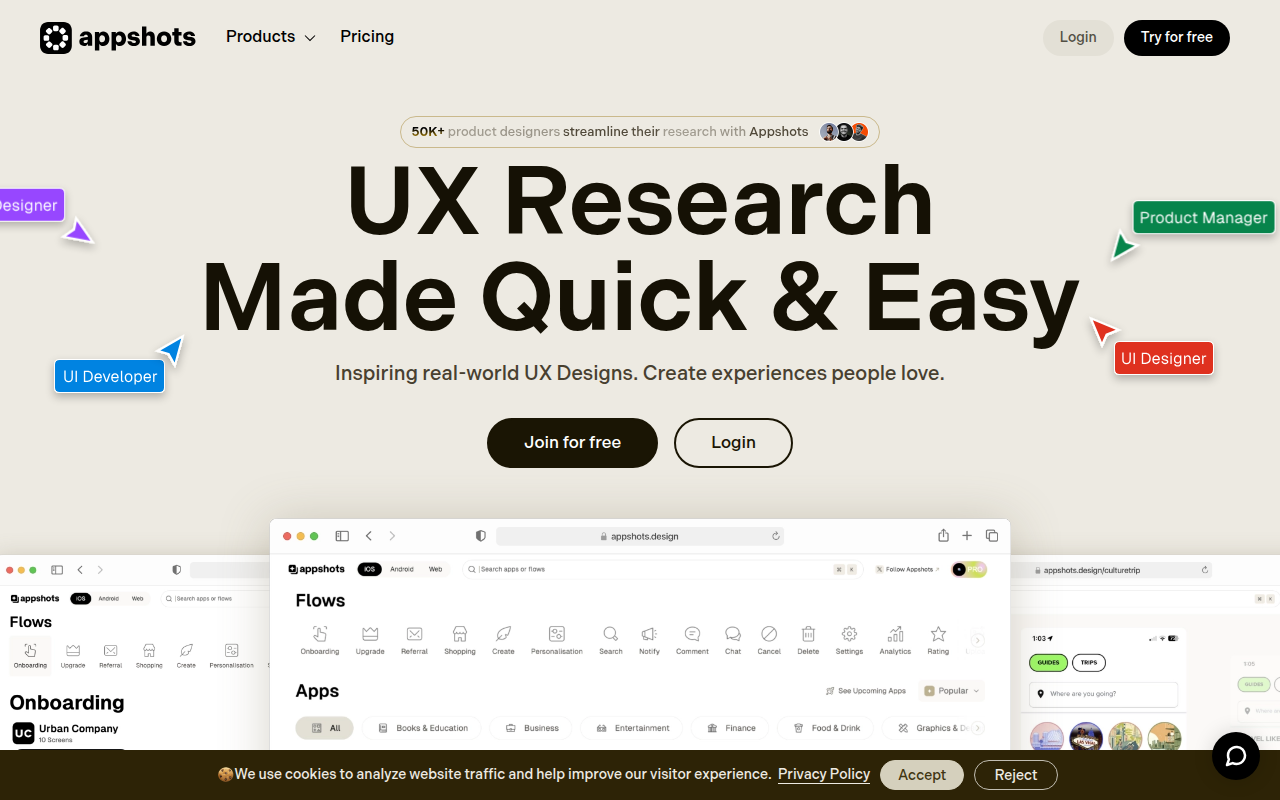
Appshots (appshots.design) is a curated gallery of real-world mobile + product UX designs — 'inspiring real-world UX designs. Create experiences people love.' Sits in the mobile UX inspiration gallery niche alongside Mobbin (the dominant SaaS + mobile UX patterns library at $30-50/mo Pro with vast library + regular updates + comprehensive pattern taxonomy), Page Flows (specializes in longer videos showing complete user flows through apps — onboarding, checkout, signup), Behance + Dribbble (broader design portfolios with mobile sections — more aspirational concept work than real-world shipped products), Land-book (mostly landing pages with some product), and various smaller curated galleries like UI Sources + UIGarage. Browse curated mobile + product UX screenshots organized by category or pattern type, save to collections, search across the library. Distinguished from Mobbin (heavyweight UX library with vast scale + investment) by smaller curated alternative, distinguished from Page Flows (purpose-built for flow videos) by screenshot-based UX patterns vs flow videos, distinguished from Behance + Dribbble (broader design portfolios with concept + aspirational work) by real-world shipped product focus, distinguished from Land-book (landing-page-focused) by mobile + product UX focus. Typical freemium pricing — free browsing of part of the library + Pro tier for full library or features (verify current pricing on appshots.design). Best for designers wanting curated browse-and-bookmark mobile UX inspiration as a smaller alternative to Mobbin, mobile UX pattern research where designers gather references for specific patterns (onboarding, search, checkout, profile, navigation) before designing their own implementations, visual literacy + ongoing design education through repeated exposure to high-quality work, and inspiration starting points for client mood boards + team alignment on visual direction. Skip for maximum library breadth + depth + comprehensive pattern taxonomy (Mobbin is the dominant choice in 2026 and worth the Pro subscription if UX inspiration is a regular need), flow videos showing complete user paths through apps (Page Flows is purpose-built for that specific format), polished concept + aspirational designs (Dribbble + Behance are broader portfolios with that aesthetic), brand identity work (Brand New + Brand Guidelines focus on identity specifically), or landing page inspiration (Land-book + Saaspo specialize in landing pages). One of many smaller options in 2026 mobile UX inspiration market dominated by Mobbin — most designers should default to Mobbin Pro as primary + supplement with specialized galleries (Page Flows for flows, Brand New for brand work, Appshots for curated browsing if its aesthetic appeals).
⏱ 30-second verdict
About
Appshots is a design inspiration library featuring thousands of screenshots from popular mobile apps. Browse by app category, screen type (onboarding, settings, profiles), or UI patterns to find exactly what you need. The collection focuses on real-world implementations from shipped products.
🎯 Why it's useful
When you're designing your app's onboarding flow or settings screen, quickly see how top apps like Spotify, Airbnb, and Duolingo handle similar challenges instead of starting from scratch.
💜 Our take
It's like having a swipe file of every well-designed app on your phone. Super handy when you need quick inspiration without downloading dozens of apps yourself.
How indie founders use Appshots
Mobile UX pattern research
Designers researching how mobile apps solve specific UX problems (onboarding, search, checkout, profile) — gather references before designing your own.
Visual literacy + design study
Build visual literacy through repeated exposure to high-quality mobile UX work — gallery browsing as ongoing design education.
Inspiration starting points
Pull screenshots into mood boards when starting projects to align with client + team on visual direction + pattern choices.
Pattern-specific exploration
Filter or search by specific patterns (onboarding, empty states, navigation) to study how various apps handle the same problem.
Appshots (appshots.design) is a curated gallery of real-world mobile + product UX designs — 'inspiring real-world UX designs. Create experiences people love.' Sits in the mobile UX inspiration gallery niche alongside Mobbin (the dominant SaaS + mobile UX patterns library), Page Flows (longer flow + onboarding videos), Behance + Dribbble (broader design portfolios with mobile sections), Land-book (mostly landing pages but with some product), and various smaller curated galleries. What you get (general for mobile UX galleries): screenshots + flows from real shipped mobile + product apps, organized by category (fintech, health, social, productivity) or pattern type (onboarding, checkout, search, profile), browsable feed, save to collections, search across the library. Specific Appshots features — exact app count, pattern taxonomy, free vs paid tiers, mobile + desktop coverage — should be verified on appshots.design. Where Appshots fits: Mobbin is the heavyweight ($30-50/mo Pro, vast library of mobile + web SaaS UX, the safer bet for breadth + depth). Page Flows specializes in longer flow videos showing complete onboarding sequences. Behance + Dribbble are broader portfolios with mobile sections (more aspirational than real-world). UI Sources, UIGarage, and other smaller galleries fill various niches. Appshots's positioning is real-world product UX (vs concept work) at a curated quality bar. Where it's not for you: if you want maximum library breadth + a vast pattern taxonomy, Mobbin is the dominant choice. If you want flow videos showing actual user paths through apps, Page Flows is purpose-built. If you want polished concept work + aspirational designs, Dribbble. Appshots is fine but in a category where Mobbin's scale + investment make it hard for smaller galleries to compete. Pricing: typical for UX galleries — free browsing + Pro tier for full library or features. Verify current pricing on appshots.design. Honest take: UX inspiration galleries are useful as inspiration starting points but they're not where you'll find the most insightful design thinking — they're surface-level pattern catalogues, not deep critique. Mobbin is the default in 2026; Appshots is worth a browse if its specific curation fits your aesthetic preferences. For most designers, one comprehensive gallery (Mobbin) + one specialized one (Page Flows for flows + Brand New for brand work) covers UX inspiration needs.
Pricing
Free
- ✓Browse part of the library
- ✓Basic search + filtering
- ✓Likely with limits on saves or features
- ✓Verify free tier on appshots.design
Pro (if offered)
- ✓Full library access
- ✓Save unlimited collections
- ✓Advanced filtering + search
- ✓Verify current pricing on appshots.design
Free browsing · Pro $9/mo for full access and filters
Frequently asked questions
Is Appshots free?
Typically freemium for UX galleries — free browsing of part of the library + Pro tier for full library or features. Verify current pricing on appshots.design.
Appshots vs Mobbin?
Mobbin is the heavyweight UX inspiration library ($30-50/mo Pro, vast library of mobile + web SaaS UX patterns, regular updates, the safer bet for breadth + depth). Appshots is a smaller curated gallery. Use Mobbin as primary if budget allows; Appshots as supplementary if its specific curation appeals.
Appshots vs Page Flows?
Page Flows specializes in longer videos showing complete user flows through apps (onboarding, checkout, signup). Appshots is more screenshot-based UX patterns. Use Page Flows for flow-specific research, Appshots for general UX pattern browsing.
Why use UX galleries at all?
Galleries help when starting a project (collecting reference for a specific pattern like onboarding or checkout), studying how successful apps solve common UX problems, and building visual literacy through repeated exposure to high-quality work. They're inspiration starting points, not substitutes for user research or strategic thinking.
Can I submit my own app screenshots?
Most curated galleries have submission processes. Verify Appshots's submission model on appshots.design — typically curators review submissions before publication to maintain quality.
Reviews
No reviews yet — be the first.
Tools like Appshots
See all Design →Figma
The browser-based design tool everyone uses.
Webflow
No-code site builder that produces real CSS.
Yellow Images
The Largest Collection of PSD Mockups on the Internet!
Wise
The design system of Wise.
Who Can Use
A tool to show how color contrast can affect different people with visual impairments.
Websitevice
Website design examples for inspiration that get results instead of awards